
Steam Deck Verified Is Useful Only When It Explains the Compromise
A compatibility badge is wonderfully tempting. It turns a complicated question, will this game feel good on a small Linux-based handheld with a controller, into a clean icon beside a purchase button. The icon is useful precisely because the real question is complicated. It becomes misleading when players read it as a score for quality, performance, or personal tolerance. A game can be technically ready for Steam Deck and still be the wrong game to read on a seven-inch screen after a long day.
Valve's Deck Verified documentation does more than present a green checkmark. It defines four compatibility categories and explains the four Verified checks: input, display, seamlessness, and system support. It also says Playable titles may require manual changes such as selecting a controller configuration or using the touchscreen for a launcher. That detail is the program's real value. It turns an opaque verdict into a description of the compromise a player may be choosing.

A badge should lead to details
The four checks are practical questions a player can understand. Does the controller work without an awkward workaround? Is the text legible at the Deck's default resolution? Can a launcher be used with controls? Does Proton and relevant middleware support the game? None promises a preferred frame rate, a quiet fan, perfect battery life, or that a player's favorite genre works well in short sessions. Those are separate questions, and a good storefront should make room for them instead of hiding them behind one color.
This is especially important because the Deck itself is not a single imagined use case. Valve's technical specifications list an OLED display, a 1280 by 800 resolution, controls including trackpads and rear buttons, and a stated battery range that depends on content. Someone buying a tactical strategy game, a text-heavy RPG, or a reflex shooter can reasonably value different tradeoffs. Compatibility should make those choices easier to predict, not imply that every green label produces the same experience.
Playable is information, not failure
The most useful category may be Playable. A title that needs a touch input once at startup, a community layout, or a settings adjustment is not necessarily a bad handheld game. For many people it is a fair bargain. The problem comes when the storefront gives no sense of the bargain's size. One manual step is very different from a game that needs constant menu work, unreadable text, or an unreliable online requirement. Specific notes let players make that distinction themselves.
There is a counterargument that too much detail produces paralysis. People want a fast answer before buying a game, and an expansive checklist can feel like work. Valve is right to provide a quick category. The answer is progressive detail, not false simplicity: show the badge first, then make the exact reasons easy to find, with room for recent updates and player context. The documentation itself notes that reviews are ongoing as games and the device change. A badge should be treated as a current report, not a permanent ruling.
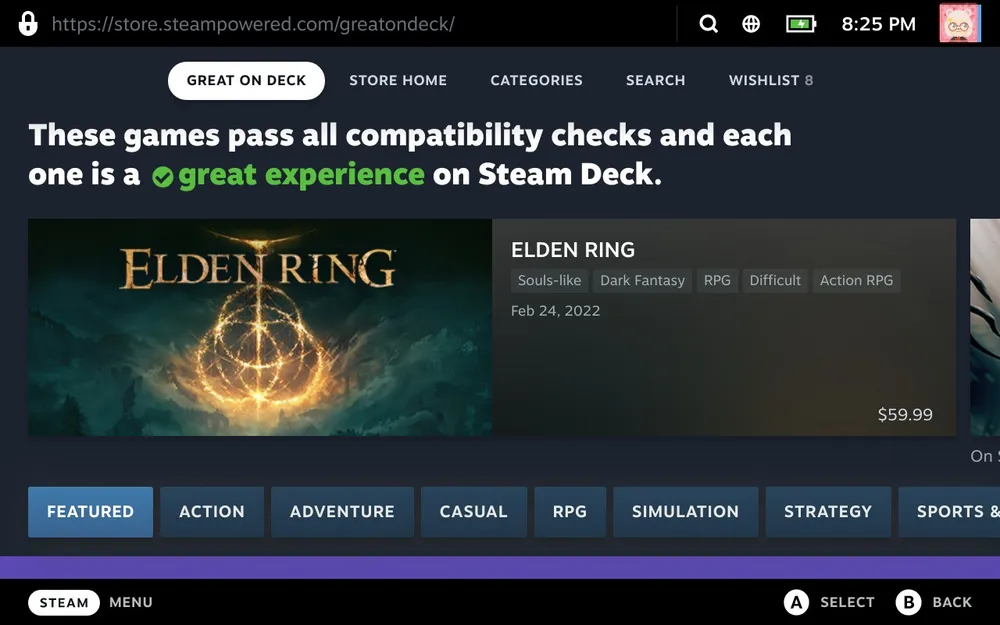
Steam Deck Verified is at its best when it behaves like a conversation between a game and the device. Tell players what will work immediately, what will require a choice, and what has not yet been tested. That is enough to be genuinely useful. The green checkmark should not end the decision. It should give a player a better first question to ask before they press buy.

Related posts

Miyamoto Is Right: Console Specs Stopped Being the Whole Argument
Hardware power still matters, but raw specifications no longer explain why people choose one console over another. Identity now comes from the complete experience around the chip.

Clair Obscur Should Come to Switch 2 Only If It Survives the Trip
A Switch 2 port of Clair Obscur would widen the audience, but availability is not valuable when performance, visual direction, or a small studio's next project pays the full cost.

PlayStation Without Discs Is a Worse Deal for Everyone
A digital-only PlayStation future would remove resale, lending, retail competition, and a durable fallback when accounts or stores fail. Convenience is useful; dependence is not the same bargain.
A $339 RTX 3060 Listing Appeared Again, and the Value Is Hard to Defend
A Gigabyte RTX 3060 12GB appeared at Newegg for $339.99. That retail listing is real, but it is not proof that Nvidia has formally relaunched the card.